
Create the app on the platform
Create the app on the platform
The app record on the platform is what a deploy targets. Create it on the Peko dashboard.
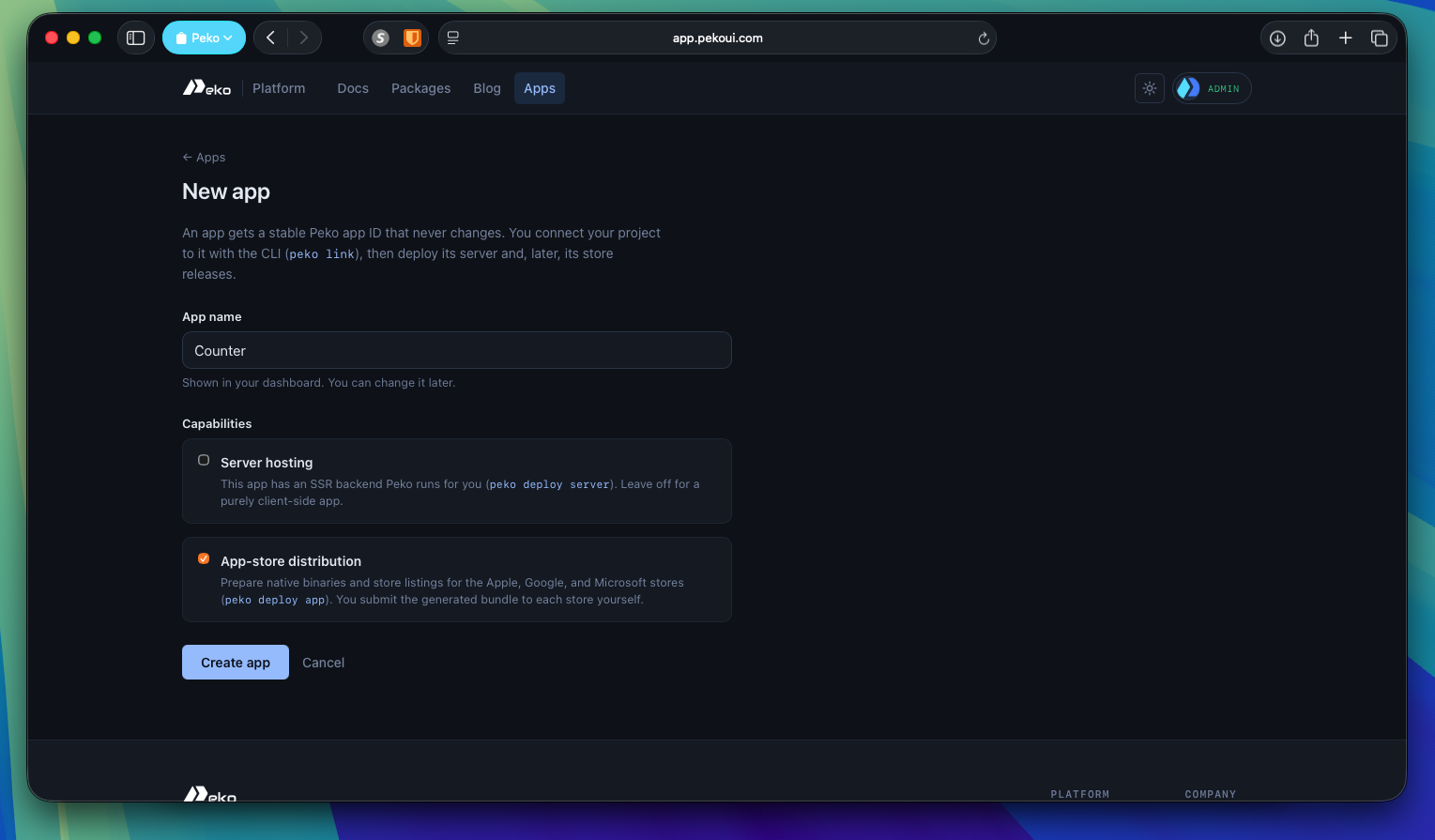
An app's capabilities are fixed when it is created and decide how it can be deployed:
| Capability | Means | Deploy verb |
|---|---|---|
distribution |
ships native binaries to stores | peko deploy app |
server |
has a server-rendered backend | peko deploy server |
The counter needs distribution. Check this before deploying rather than after a rejected one.
Link the project to it
Studio does this for you. In Devtools, open the Deploy tab and search your apps. Signing in is what makes them visible, through the account chip in the status bar.
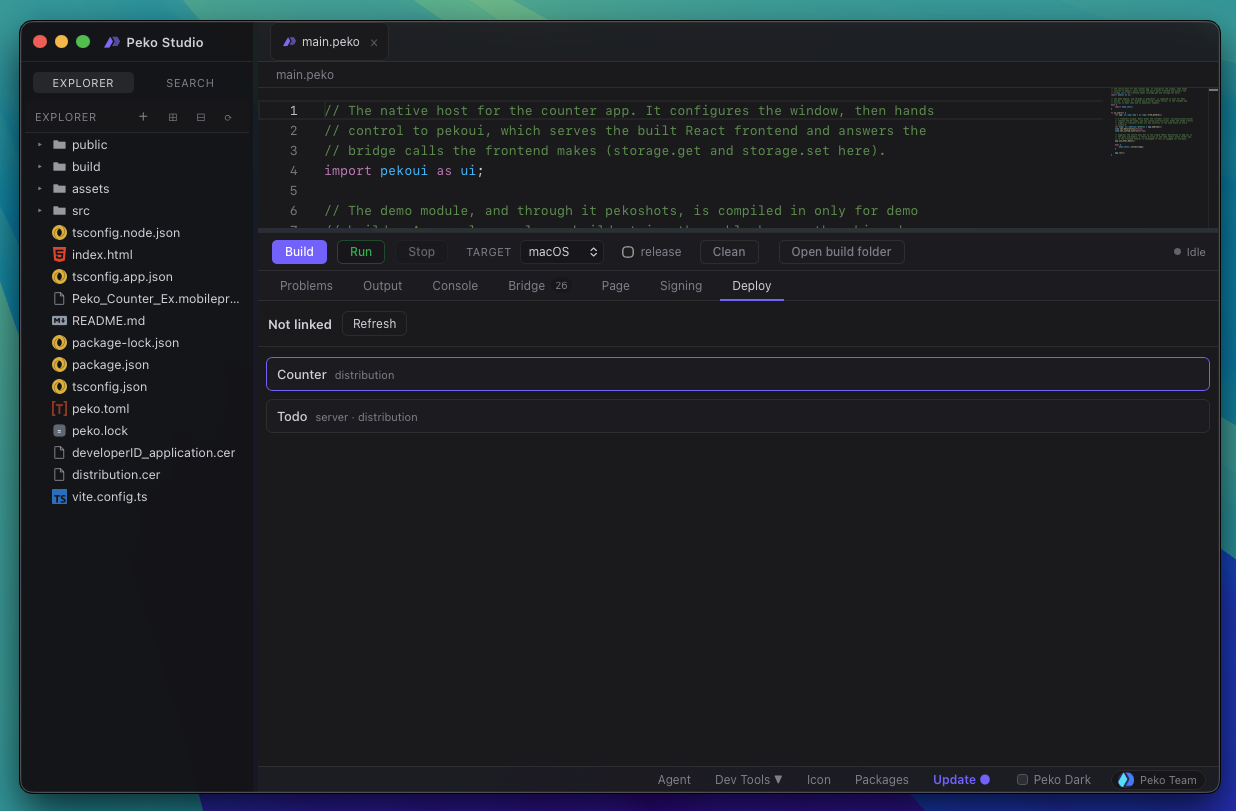
Pick the app and link it.
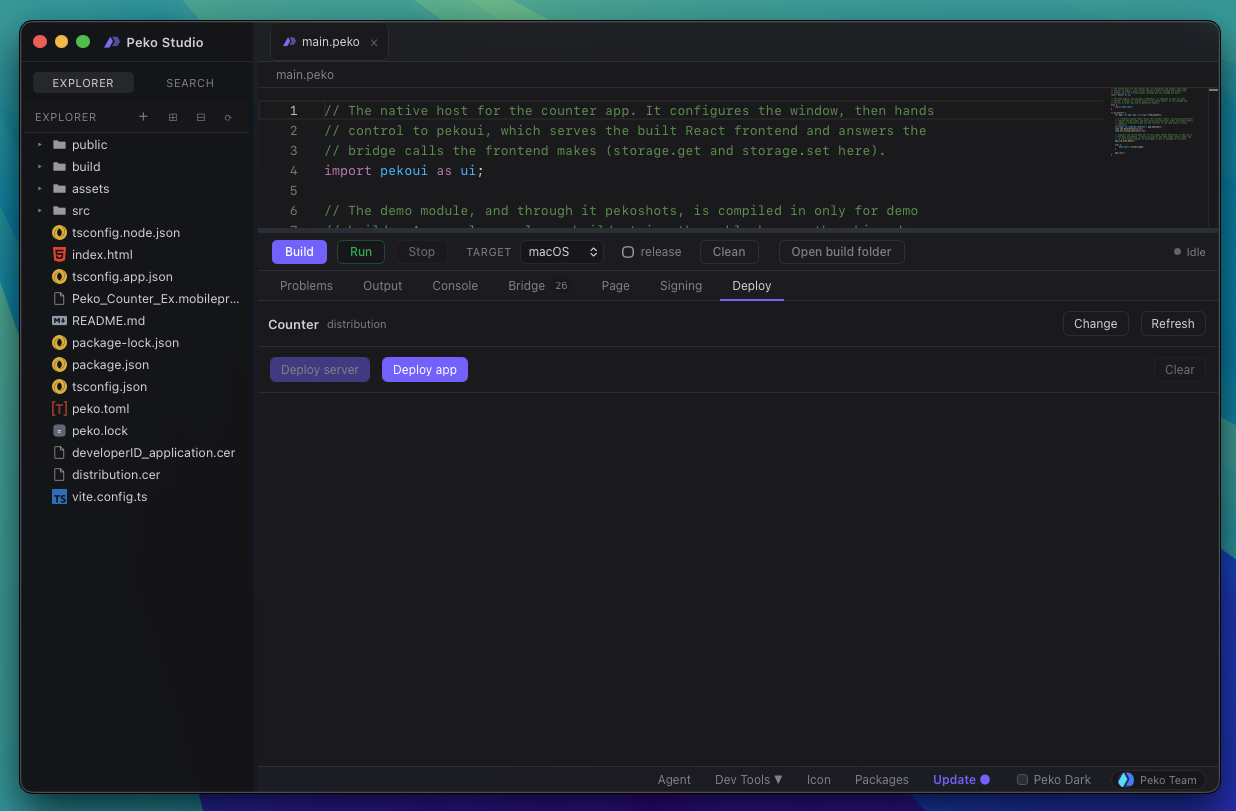
Linking writes app_id under [project] in peko.toml, preserving your
formatting and comments. It is a local edit and needs no network.
CLI, if you would rather not use Studio:
peko apps                     # every app on this account
peko apps show app_1a2b3c     # one app, with its capabilities
peko link app_1a2b3c          # write the link
peko link                     # show the current link
apps showdistinguishes an app that does not exist from one owned by another account, so a stale link is easy to tell apart from being signed in as the wrong user.