
Create the project
Create the project
The launcher opens on every start with recent projects, and buttons to create or open one. Choose New and fill in the form.
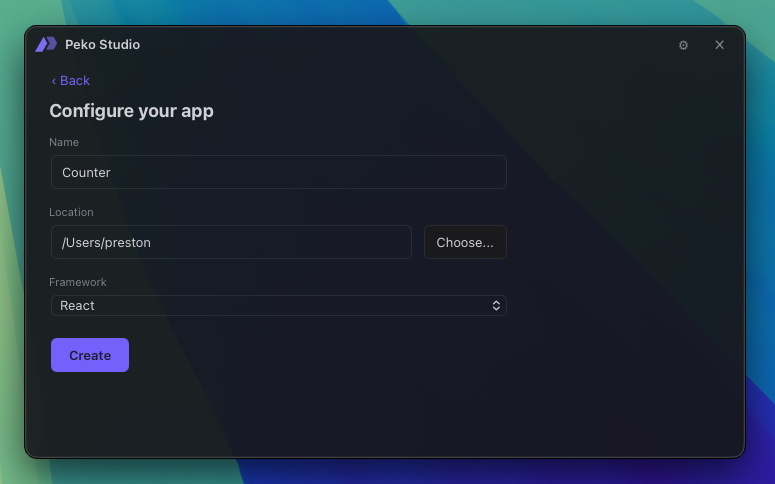
- Type: UI, a native app with a web frontend.
- Name:
counter. - App ID:
com.example.counter. This is the identity the app stores data under and the stores list it as.com.example.*is fine while following this guide; use your own reverse-domain id for anything you actually ship. - Framework: React + TypeScript (static).
That static value is the frontend mode, not a limitation on React. Vite builds the app to
plain files that the native side serves over a loopback origin, so the shipped
binary contains no Node runtime. It is the right default for a desktop or mobile
app; the server-rendered frameworks exist for apps deployed to hosting instead.
CLI:
peko project new --name counter --type ui --framework react-ts --bundle com.example.counter
What you get
counter/
  peko.toml         the manifest: identity, window, capabilities, dependencies
  src/
    main.peko       the native host, the app's real entry point
    App.tsx         the React UI
    main.tsx        mounts React, imports @peko/client
  index.html
  package.json      React, Vite, and @peko/client
Two files matter for the rest of this guide: src/main.peko and src/App.tsx.
src/main.peko is the entry point. It is small to begin with:
import pekoui as ui;

fn on_start() {
    ui::app::from_bundle().run()
}
on_start is the entry function for every Peko program, UI or CLI. There is no
main. from_bundle reads peko.toml and builds the app from it; run opens
the window and serves the frontend.
Press Run to confirm the toolchain works. Studio builds the frontend,
compiles the native side, and opens the window. Edits to the React code reload
live; edits to .peko files recompile and relaunch with the route restored.
CLI:
peko run